LiteLLM Supply Chain Attack: The 1.107.0 Backdoor That Runs Without an Import

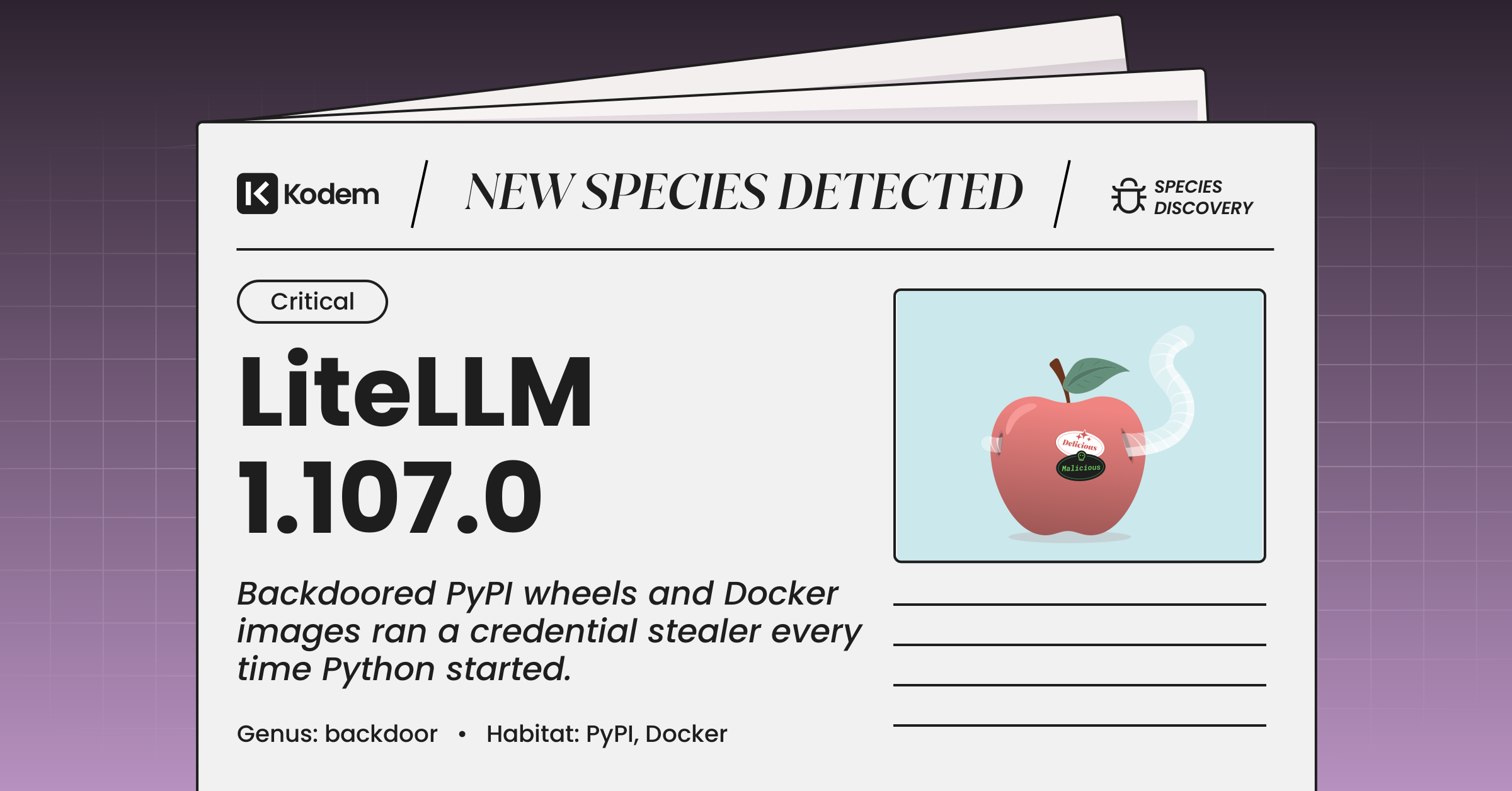
The LiteLLM supply chain attack, disclosed on October 21, 2026 in BerriAI/litellm issue #47826, is a release compromise in which litellm 1.107.0 shipped to PyPI and to the official LiteLLM Docker images with a credential stealer and an hourly remote code loader hidden in Python startup files. No CVE applies and no CVSS score exists, because this is malicious code inserted into a legitimate release rather than a vulnerability in one. LiteLLM is the open source gateway and SDK that many teams put in front of every model provider they use, so the host running LiteLLM usually holds the keys to all of them.
This post is written for AppSec engineers, platform and DevSecOps teams, and ML platform engineers who run the LiteLLM SDK or LiteLLM Proxy as of October 2026. The post covers the affected versions and images, how the payload runs without litellm ever being imported, the indicators to hunt for, the first-hour runbook, and how this second LiteLLM compromise of 2026 compares with the March TeamPCP incident.
What Happened in the LiteLLM 1.107.0 Compromise
The LiteLLM supply chain attack put a malicious litellm==1.107.0 on PyPI (all seven wheels plus the sdist) and pushed the same release into LiteLLM container images on GHCR and Docker Hub. The last known clean release is litellm==1.106.2.
| Item | Confirmed Detail |
|---|---|
| Package | litellm on PyPI |
| Malicious version | 1.107.0: seven wheels (macOS x86_64 and arm64, manylinux and musllinux x86_64 and aarch64, Windows amd64) plus the sdist |
| Container images | v1.107.0 images on GHCR and Docker Hub; the floating tags latest, main-latest, and main-stable pointed at the malicious image for part of October 21 |
| Payload files | cook.pth, cook.py, sitecustomize.py, installed to the site-packages root |
| Git tag | Clean. The payload is not in the v1.107.0 tag (tagged commit 66c8f5b1a9cefaa7c55b758f86f4ab552f2e859e) |
| Last clean version | 1.106.2 |
| Attribution | None. No threat actor has been named |
| Initial access | Under investigation by BerriAI; maintainers report the malicious actions ran through three engineers' GitHub accounts, appearing to use stolen GitHub CLI OAuth tokens |
| CVE / CVSS | None. Malicious release, not a vulnerability |
The public timeline below comes from the reporter's write-up and the maintainer updates on the issue. All times are UTC.
| Time | Event |
|---|---|
| October 13, 2026 | Exfiltration domain litellm[.]dev registered; GitHub account letters9813 created |
| October 20, 09:15 | domain.txt in the dead-drop repository letters9813/pythonclient-test emptied |
| October 21, ~11:21 | Malicious wheels built with maturin 1.9.4 |
| October 21, 11:39:51 to 11:40:13 | litellm 1.107.0 uploaded to PyPI |
| October 21, 11:50:24 | GitHub release v1.107.0 published |
| October 21, by 13:23 | PyPI copy removed; Docker floating tags still serving the malicious image |
| October 21, by 17:13 | latest, main-latest, and main-stable no longer point at the v1.107.0 image |
The PyPI window was under two hours. The longer tail is the container side: any deploy that pulled latest or main-stable during the afternoon of October 21 picked up the payload regardless of the PyPI removal.
How the LiteLLM 1.107.0 Attack Chain Executes
The malicious wheels drop three files into site-packages, and Python's own startup sequence runs them every time an interpreter starts in that environment, whether or not any code imports litellm. One file harvests and exfiltrates credentials; the other starts a detached loader that can pull and execute new Python code every hour.
Stage 1: A Build From the Wrong Source
Maintainer and reporter updates on the issue state that the release was built from a lookalike repository, Berri-AI/litellm, one hyphen away from the real BerriAI organization. BerriAI reports that one compromised engineer account triggered the project-releaser run and another approved the run. Commit 783c43bc adds a single line, data = "cook", to the maturin section of pyproject.toml, and commit 20535d8f adds COPY cook ./cook to the Dockerfiles. Neither change is in the tagged release, so a reviewer comparing the v1.107.0 tag against the previous tag sees nothing wrong.
Stage 2: Execution Through Python Startup Hooks
The wheels place cook.pth (12 bytes), cook.py (22,252 bytes), and sitecustomize.py (25,509 bytes) under litellm-1.107.0.data/purelib/, which installs them at the site-packages root. Python's site module processes every .pth file at interpreter startup and imports sitecustomize automatically. cook.pth contains only import cook. The result: pip, pytest, a Jupyter kernel, or an unrelated script in the same environment all run the payload. MITRE tracks this as T1546.018, Python Startup Hooks.
Stage 3: Credential Harvesting
cook.py is a zlib and Base64 wrapped collector named privcollect that runs in a background thread and sets PRIVCOLLECT_ACTIVE=1 to avoid running twice. The collector needs no command server. Targets published on the issue:
| Category | Targets |
|---|---|
| Cloud and infrastructure | AWS, GCP, and Azure credentials; AWS IMDSv2 and ECS task credentials, validated with STS GetCallerIdentity; Kubernetes, Docker, and Git configuration |
| Package registries | npm, PyPI, and other registry tokens |
| Keys | SSH keys, GPG keys, TLS private keys |
| Workstation | Browser passwords, cookies, Firefox key stores, shell and database histories |
| Process memory | Environment variables of every readable process via /proc/*/environ |
| LiteLLM Proxy database | When DATABASE_URL is set, rows from LiteLLM_CredentialsTable and LiteLLM_ProxyModelTable |
The last row is the one that matters most for LiteLLM operators. LiteLLM_CredentialsTable stores the model provider keys the proxy uses, so the collector was written to take the gateway's own secrets, not just generic host credentials.
Stage 4: Exfiltration
Collected data is encrypted with a random AES-256-CBC key, the key is wrapped with an embedded RSA-4096 public key (OAEP), and the bundle is sent as a tar.gz in an HTTP POST to hxxp://www[.]litellm[.]dev/healthcheck. The request carries a fixed X-Token header and an Internet Explorer 7 user agent. After a successful upload the collector writes /tmp/.pc_once_72129118c59f5636c0bb. A missing marker does not prove a host is clean.
Stage 5: Persistence and the Hourly Loader
sitecustomize.py forks a detached daemon with setsid, holds a lock on /tmp/remote_code_loader.lock, and wakes hourly. Each cycle reads a domain from hxxps://raw[.]githubusercontent[.]com/letters9813/pythonclient-test/main/domain.txt, then downloads http://<domain>/codepy and passes the result to exec() with no signature or hash check. The reporter found domain.txt empty since October 20, so the remote code stage was dormant at disclosure, but one commit to that file re-arms every infected host. On Windows the fork fails silently while cook.py still runs. Uninstalling the litellm package directory does not remove the three startup files or stop a running loader.
Second LiteLLM Compromise of 2026: How It Compares to the TeamPCP Attack
The October incident is the second LiteLLM supply chain attack this year. In March 2026, TeamPCP published litellm 1.82.7 and 1.82.8 with a PyPI token stolen through the compromised Trivy scanner; the 1.107.0 release has not been attributed to TeamPCP or any named actor.
| March 2026 | October 2026 | |
|---|---|---|
| Versions | 1.82.7, 1.82.8 | 1.107.0 |
| Date | March 24, 2026 | October 21, 2026 |
| Attribution | TeamPCP | Unattributed |
| Initial access | PyPI publish token stolen by a backdoored Trivy binary in LiteLLM CI | Release built from lookalike Berri-AI/litellm via compromised engineer accounts; root cause still open |
| Execution | litellm_init.pth (1.82.8); injected proxy_server.py (1.82.7) | cook.pth plus sitecustomize.py |
| Distribution | PyPI | PyPI, GHCR, Docker Hub |
The overlap is the technique and the target: a .pth startup hook on the package that concentrates model provider keys. What is new in October is the second distribution channel through container images and floating tags, a module that reads the LiteLLM Proxy's own credentials table, an hourly loader that can run new code after collection, and a packaging change that never appears in the tagged source. For the March campaign in full, see Kodem's breakdown of the TeamPCP supply chain campaign from Trivy to LiteLLM.
Indicators of Compromise (IOCs) and Behavioral Signals
Hunt for litellm==1.107.0 in lockfiles, caches, and running images first, then for cook.pth, cook.py, and an unexpected sitecustomize.py in site-packages, then for egress to litellm[.]dev. Correlate file hits with Python execution, since a legitimate sitecustomize.py can exist in some environments.
Package versions and images to block.
| Indicator | Value |
|---|---|
| PyPI | litellm==1.107.0 (all wheels and the sdist) |
| GHCR / Docker Hub | LiteLLM v1.107.0 images, and any digest pulled through latest, main-latest, or main-stable on October 21 |
| Safe pin | litellm==1.106.2, pinned by hash, and images pinned by digest |
File system indicators (SHA-256 of the published artifacts).
| Artifact | SHA-256 |
|---|---|
litellm-1.107.0-cp310-abi3-macosx_10_12_x86_64.whl | 7598727f209d717041db37f7dca271d3a7d328a279890e0e1d55375729aeb86d |
litellm-1.107.0-cp310-abi3-macosx_11_0_arm64.whl | 0aaf7ba346d41ef2f40390436738b001180d5a1c03aa093f121078a9969d9a1a |
litellm-1.107.0-cp310-abi3-manylinux_2_28_aarch64.whl | 668169d35b87bf51324080390b1b1c5ab12bd335cfe5f1a99e3689abd5e02ae6 |
litellm-1.107.0-cp310-abi3-manylinux_2_28_x86_64.whl | 462d0c9f67ca522d9e0e4acd245e90b36ce0d5353604a66bb7c43a1ec4a6fcf7 |
litellm-1.107.0-cp310-abi3-musllinux_1_2_aarch64.whl | c2e32d0ce2548aa662c18bf5001911a79fe5b30cf8357132275add02fdcde054 |
litellm-1.107.0-cp310-abi3-musllinux_1_2_x86_64.whl | 1bbce8caa94f01c0aaa0b7ddae51553a8a32e1ce53d96d44fe583272aff7ad00 |
litellm-1.107.0-cp310-abi3-win_amd64.whl | 12d4ccc5c6f8d35cf4f2cf233b7f3e418e863e657d81ff5f5fc9e210005b9484 |
litellm-1.107.0.tar.gz (tampered pyproject.toml, no payload files) | 2befe2a79fb4fbbd9a543b5b40b530c8cffa8771bab22b8fb22b2e4ae3b1f819 |
| Host artifact | Value |
|---|---|
| Startup files | cook.pth, cook.py, sitecustomize.py at the site-packages root, plus matching __pycache__ entries |
| Loader lock | /tmp/remote_code_loader.lock |
| Upload marker | /tmp/.pc_once_72129118c59f5636c0bb |
| Temp directories | /tmp/.pc_sq_*, /tmp/.pc_e_* |
| Environment variable | PRIVCOLLECT_ACTIVE=1 |
| Process | Orphaned python process with working directory / |
Network and process indicators.
| Type | Value |
|---|---|
| Exfiltration endpoint | POST hxxp://www[.]litellm[.]dev/healthcheck |
| Exfiltration headers | X-Token: XWiA8gZNa7NcX2XRoAEb, X-SHA256: <body hash>, Content-Type: application/octet-stream |
| User agent | Mozilla/4.0 (compatible; MSIE 7.0; Windows NT 10.0; WOW64; Trident/7.0) |
| Dead-drop pointer | hxxps://raw[.]githubusercontent[.]com/letters9813/pythonclient-test/main/domain.txt |
| Loader payload path | http://<domain>/codepy |
| Cloud API | STS GetCallerIdentity calls from a LiteLLM host's instance role around install time |
Git, GitHub, and CI indicators.
| Type | Value |
|---|---|
| Lookalike organization | github[.]com/Berri-AI/litellm |
| Dead-drop account | letters9813 |
| Maturin data commit | 783c43bc455d2e05d3cfaf194c2f325cfeab1433 |
| Dockerfile commit | 20535d8fa11f786a6c24df7488a0e449ed5f09ad |
| Config string | data = "cook" under [tool.maturin] |
| Dockerfile string | COPY cook ./cook |
Scope any GitHub block to the specific letters9813/pythonclient-test path. Blocking all of raw.githubusercontent.com breaks legitimate builds.
Immediate Response: The First-Hour Runbook
Stop new installs and deploys first, contain every environment where Python ran with the malicious release present, then rotate from a clean machine. Uninstalling the package does not reverse exposure and does not stop the loader.
- Block
litellm==1.107.0at the package proxy and stop deploying LiteLLM images by floating tag. Pin1.106.2by hash and pin images by digest. - Find exposure: search lockfiles,
pipcaches, CI logs, image layers, and running container digests for1.107.0and the hashes above. - Isolate affected hosts and containers and preserve evidence (site-packages contents, the files under /tmp listed above, the process list, egress logs) before rebuilding.
- Inspect with trusted tooling. Do not run
piporpythonfrom the affected environment first, since every interpreter start re-runs the payload. - Kill the daemon holding
/tmp/remote_code_loader.lock, deletecook.pth,cook.py,sitecustomize.py, and their.pycfiles, then rebuild the environment or image from a reviewed artifact. - Rotate from a clean machine: instance and task roles, every provider key stored in the LiteLLM Proxy database, LiteLLM master and virtual keys, the database password, registry and GitHub tokens, SSH keys, and secrets present in any process environment on the host.
- Review CloudTrail and other cloud audit logs for GetCallerIdentity from the host's role around install time, and for use of any exposed credential from outside your infrastructure since 11:39 UTC on October 21, 2026.
Why Version Scanning Flagged litellm 1.107.0 but Missed What It Did
Version scanners and malicious package feeds flagged litellm 1.107.0 within hours, and that is the right first signal. What a version match cannot answer is which hosts actually executed the payload, because the code runs at interpreter startup from a .pth file and never passes through the litellm import path.
Three structural limits show up in this incident. Reachability analysis traces calls from application code into a package, and the cook.pth hook is never called by application code, so a reachability check would mark the payload unreachable while the payload runs on every Python start. Source review of the tag found nothing, since data = "cook" lived only in the build tree. And a package-level finding treats every environment with 1.107.0 in a lockfile the same way, when the real question for rotation is which processes loaded the files and what those processes could read.
Runtime intelligence answers that question by observing execution instead of inventory. Kodem's runtime-powered SCA traces which packages and files load into memory on each workload, which is the difference between 'litellm 1.107.0 is in a lockfile' and 'the startup hook ran on this container.' Kodem's Application Detection and Response (ADR) covers the behavior: a Python process reading cloud credential files, querying the instance metadata service, forking a detached child, and posting to a domain the workload has never contacted. For AI gateways specifically, Runtime AI Security shows which AI components and provider connections a workload actually loads.
Hardening Your Pipeline Against the Next LiteLLM Supply Chain Attack
Assume another AI infrastructure package will be hit with the same startup hook technique. The controls that matter are pinning by hash and digest, a cooldown on new releases, isolation of the gateway host, and behavioral monitoring where model keys live. Build the open source security program around both the inventory and the execution halves.
- Pin by hash and digest. Use
pip install --require-hashes(or the equivalent inuvorpoetry) and deploy images by digest, never bylatestormain-stable. - Add a release cooldown. Hold new versions of critical dependencies for 24 to 72 hours at the package proxy; both 2026 LiteLLM compromises were pulled from PyPI within two hours.
- Inspect wheels, not just tags. Diff published wheel contents, including
.data/pureliband any.pthorsitecustomize.py, against the tagged source before promoting a release. - Isolate the AI gateway. Run LiteLLM Proxy with the narrowest instance role it needs, no SSH keys, no developer tokens, and its database credentials scoped to that one service.
- Restrict egress from gateway hosts to the model providers and internal services they actually call.
- Require approved repository identities and reviewed commits for release workflows, and publish with PyPI Trusted Publishing and attestations so a build from the wrong source fails provenance checks.
- Alert on credential file reads, metadata service queries, and detached child processes from Python on hosts that hold model keys.
What the LiteLLM Attacks Say About AI Infrastructure as a Target
Two compromises of the same AI gateway in seven months show attackers treating AI infrastructure as a deliberate target. The draw is concentration: one host with keys to every model provider, a cloud role, and often the database behind the gateway.
- Payloads now carry modules written for a specific AI product, such as the query against the LiteLLM Proxy credentials table.
- Distribution is going multi-channel. PyPI removal no longer ends exposure when floating container tags keep serving the same release.
- Python startup hooks (
.pthandsitecustomize.py) are becoming the default execution path for Python supply chain malware, since they run without an import and survive package removal.
One falsifiable prediction: within 90 days, at least one more widely used Python AI framework, agent framework, or LLM gateway will ship a compromised release that executes through a .pth or sitecustomize.py hook and targets stored model provider keys. Should that window close with no such release, this prediction is wrong.
Frequently Asked Questions
On October 21, 2026, a malicious litellm 1.107.0 was published to PyPI and to LiteLLM Docker images with a credential stealer and an hourly remote code loader. PyPI removed the release within about two hours; the Docker floating tags were corrected later that day.
litellm 1.107.0, including all seven wheels and the sdist, and the v1.107.0 container images on GHCR and Docker Hub. The latest, main-latest, and main-stable tags served the same image for part of October 21, so pin 1.106.2 by hash and images by digest.
Check lockfiles, caches, and running image digests for 1.107.0, then look for cook.pth, cook.py, and an unexpected sitecustomize.py in site-packages, the /tmp/.pc_once_72129118c59f5636c0bb marker, and egress to litellm[.]dev. A missing marker does not prove the host is clean.
Cloud credentials for AWS, GCP, and Azure, Kubernetes, Docker, Git, and registry credentials, SSH, GPG, and TLS keys, browser passwords and cookies, process environment variables, and rows from the LiteLLM Proxy's LiteLLM_CredentialsTable and LiteLLM_ProxyModelTable when DATABASE_URL is set.
No. TeamPCP compromised litellm 1.82.7 and 1.82.8 in March 2026 using a PyPI token stolen through Trivy. The 1.107.0 release uses a similar .pth technique but has not been attributed to any actor.
No. cook.pth, cook.py, and sitecustomize.py sit at the site-packages root and survive package removal, and a running loader keeps going. Remove the files, kill the loader, rebuild, and rotate every credential the host could read.
SCA and malicious package feeds can flag the version, which tells you where the package is present. They cannot tell you which hosts executed the payload, because the code runs at Python startup without importing litellm; that answer requires runtime visibility.
Follow BerriAI/litellm issue #47826 on GitHub, where the reporter and the maintainers post timeline, image, and root-cause updates, and watch the LiteLLM project page on PyPI for release status.
References
- BerriAI/litellm. October 21, 2026. [SECURITY] litellm 1.107.0 compromised: cook.pth credential stealer + sitecustomize RCE loader, issue #47826, including maintainer updates. GitHub.
- BerriAI/litellm. October 2026. Commit 783c43bc: maturin data directory added to pyproject.toml. GitHub.
- MITRE. T1546.018: Event Triggered Execution: Python Startup Hooks. MITRE ATT&CK.
- MITRE. T1195.001: Supply Chain Compromise: Compromise Software Dependencies and Development Tools. MITRE ATT&CK.
- Python Software Foundation. site: Site-specific configuration hook. Python documentation.
- Kodem Security. 2026. Inside the TeamPCP Supply Chain Campaign: From Trivy to LiteLLM to the Checkmarx Jenkins Plugin. Kodem Security.
Related blogs

How to Inventory Every AI Agent, Tool and Model Running in Production
Build an AI agent inventory from runtime evidence, not a survey. What belongs in it, why manifests and gateways miss it, and what to do on day one.
8
Stop the waste.
Protect your environment with Kodem.
The State of the Application Security Workflow
This report aims to equip readers with actionable insights that can help future-proof their security programs. Kodem, the publisher of this report, purpose built a platform that bridges these gaps by unifying shift-left strategies with runtime monitoring and protection.
.avif)
Get real-time insights across the full stack…code, containers, OS, and memory
Watch how Kodem’s runtime security platform detects and blocks attacks before they cause damage. No guesswork. Just precise, automated protection.